What I discovered about Docker Desktop Disk Usage
The docker system prune command didn’t free up any disk space on Windows
I’m facing a very interesting issue.
After I downloaded the OpenTelemetry demo with Kubernetes and Docker, my computer disk usage was almost completely full.
What happened? I opened Wiztree to investigate what files were consuming my disk space and I discover a not so little file consuming 112 GB of disk space! And its related to WSL and Docker

I saw this and I started wondering what these files are.
The first question to answer is what is docker_data vhdx?
Docker was built for Linux. Containers rely on Linux kernel features (like cgroups and namespaces) to work and operate computer resources.
To be able to run Docker in Windows, we have to use something called Windows Subsystem Linux, WSL. It’s like a tiny Linux kernel wrapped around a lightweight virtual machine that runs inside Windows OS.
How WSL stores Docker’s data
The WSL has folders inside it
\\wsl$
If you open this in Explorer, you’ll see a normal minimal Linux folder structure (bin, etc, usr, var, and so on). This is a live view of the files inside the distro, not where they are physically stored.
For Docker Desktop, the actual physical storage is inside the AppData as a vhdx file, a Linux Format Windows can’t read:
AppData/Local/Docker/wslUbuntu has its own .vhdx, stored separately under AppData\Local\Packages\.
The files inside these folders work as physical disks for Docker Desktop, but to Windows each one is just a large virtual disk file.
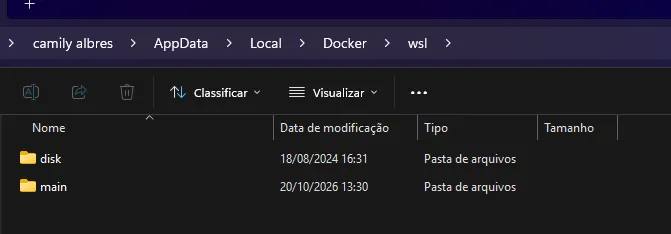
Basically, inside the small main folder, there is just the programs Docker needs to run. And inside the Disk folder, there is docker_data.vhdx
docker_data.vhdx is where all the data we created in Docker desktop is storage. Images, containers, volumes and network settings
To be able to see the resources docker is consuming we can do docker system df
My first instinct to solve the disk problem was to prune and delete everything. And so I did.
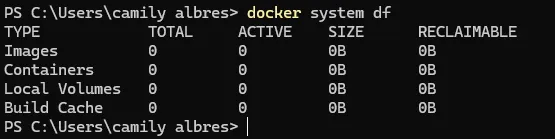
The problem is that the Disk usage in Windows didn’t shrink! It happened cause when Linux deletes a file, it only marks that space as free inside the disk. Windows isn’t told, so the .vhdx file stays at the 112 GB it had already reached.
So we need to manually shrink this reserved space. We have two options to do that:
- Purge data: Deletes everything
- Compact: If we have data we want to keep
I want to purge everything, so I wont get into details about how to compact the file. And to do this, we can access Troubleshoot inside Docker and Clean Up the data
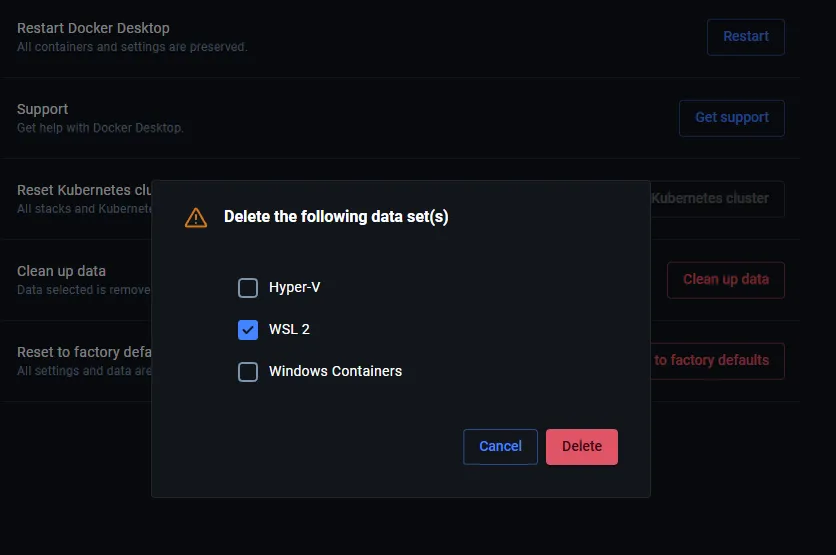
Done!

Running docker system prune didn’t free up any disk space on Windows, because the .vhdx file doesn’t shrink on its own.
Thanks!